Tutorial 10 of 10
Plan the household together in a team workspace
Intermediate 5 min
Save your Hearth household to a shared workspace so everyone at home sees the same chores, meals, trips and results live, with roles for each person.
A household runs better when everybody looks at the same plan. In a team workspace your partner, flatmates or kids open the same Hearth household and see each other's changes. Without signing in nothing changes — the workspace is always optional and Hearth keeps saving in this browser.
Save the household to a workspace
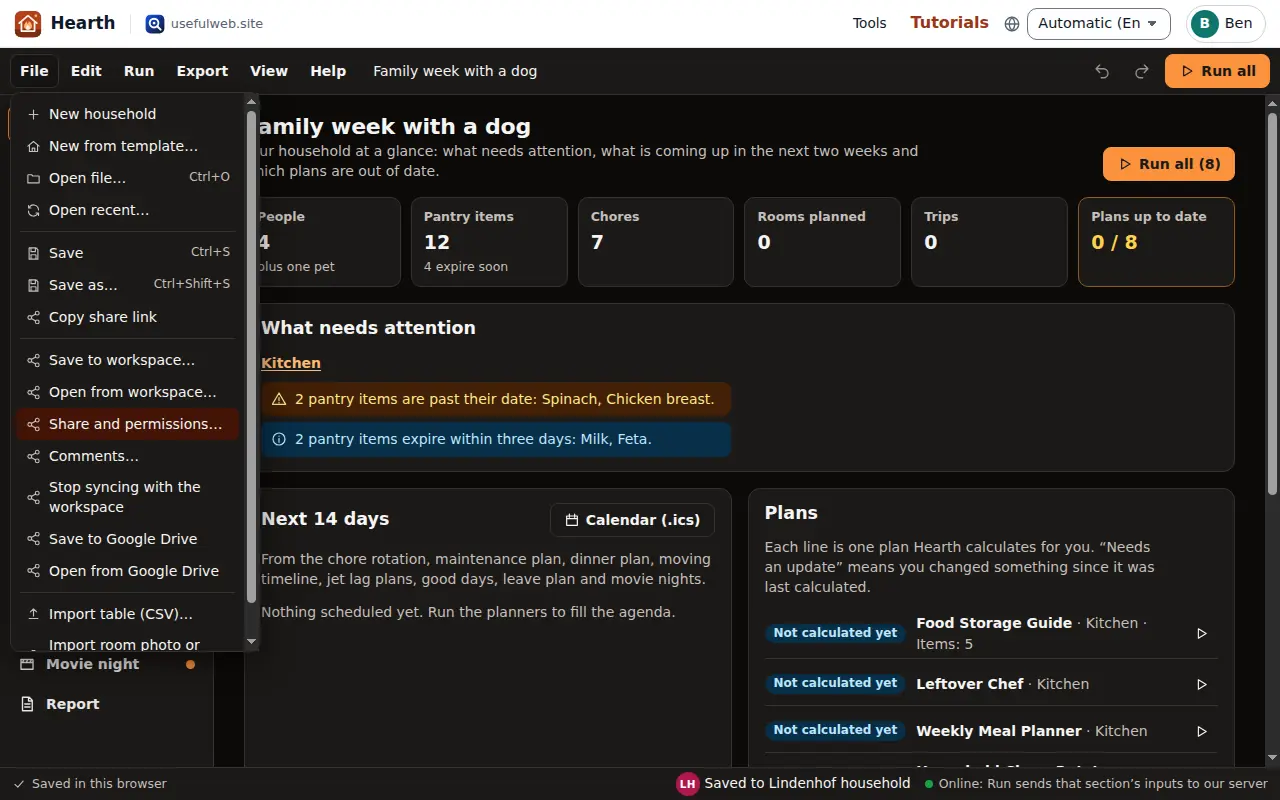
- Choose File → Save to workspace…. If you are not signed in yet, sign in with a passkey (or Google) — a passkey account needs no e-mail address.
- Pick a workspace or create one, check the title and choose Save.
- The chip in the status bar at the bottom now says Saved to and the workspace name. Every change is saved to the workspace about a second after you make it, and so are the results of tool runs.
Invite people and choose who may edit
Choose File → Share and permissions… to see the members, create an invite link with a role and copy a direct link to the household. Owner, Admin and Member can edit, a Viewer can only look, and a Guest sees only what a sharing rule opens for them.
Work together live
The others open the household with File → Open from workspace… or with the direct link (it ends in #teamdoc=…). The chip shows the initials of everyone who has it open. When someone ticks off the pantry, changes the chore list or runs the meal planner, the new version arrives automatically and you stay in the section you are looking at. If two people change it at the same moment, Hearth asks: Load their version, Keep mine and overwrite theirs or Save mine as a copy.
Opening another household, a template, a file or a link stops syncing, so the shared household is never overwritten by accident. Stop syncing with the workspace does the same on purpose; your copy stays saved in this browser.
Read only for viewers
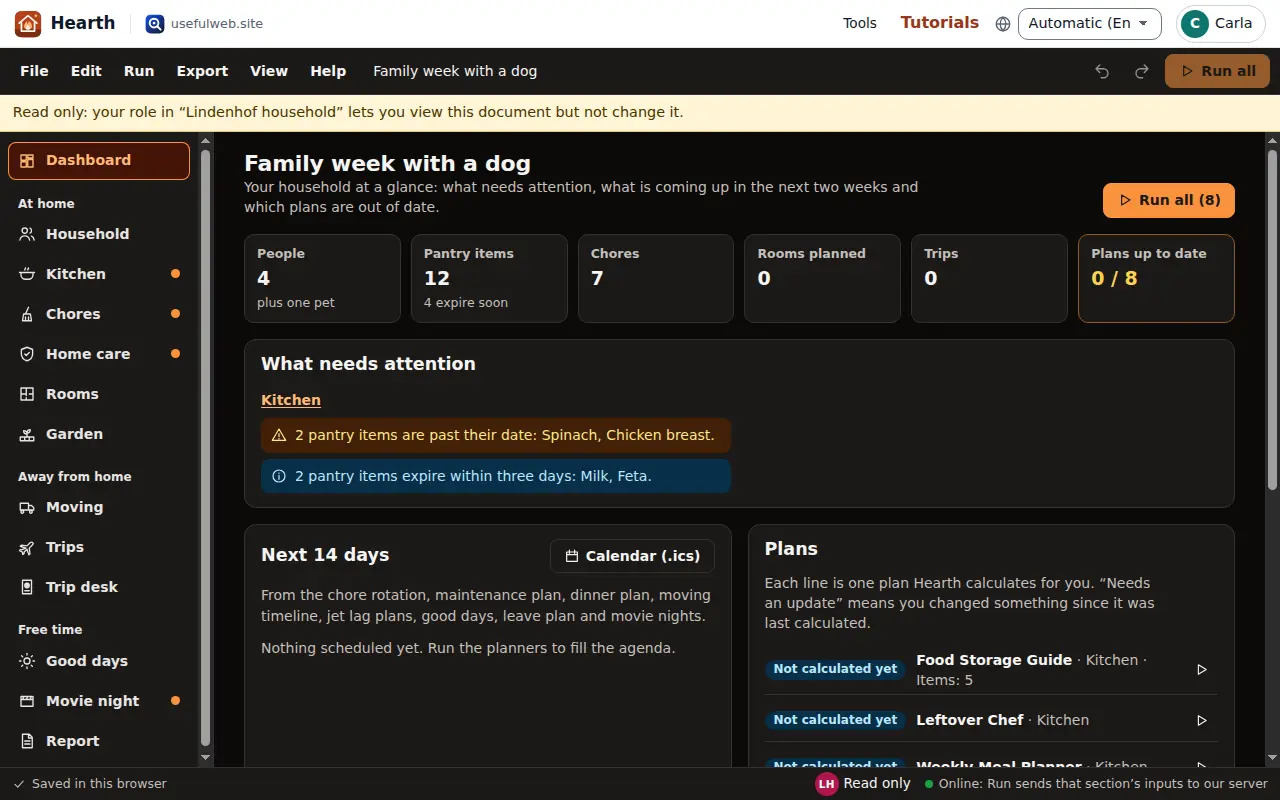
Viewers see a yellow note: Read only: your role in “…” lets you view this document but not change it. They can browse every section, the agenda, the report and the exports. Editing, undo and tool runs are locked, and every editing action explains why instead of changing the household.
Comments
Choose File → Comments… to read and write comments on the shared household. A comment can be about the whole household or about the section you have open — for example Kitchen or Chores — and Show … next to it takes you there. Members can comment, viewers can read the comments, and you can delete your own.
What is not shared
Media is not shared: room photos and plans you imported are not added to the workspace, so the others see the room shapes and furniture without your picture underneath. Everything else — people, pantry, chores, home care, moving, rooms, trips, good days, garden and the tool results — is shared with the workspace.
Ready to try it?